How to sign up on ePayments. Review and instructions.
Fortunately, everyone who could not pass the verification on Paxum, have an alternative – ePayments. This is a kind of electronic wallet, which allows you to receive payments from different webcam chats and order a plastic card, to use your money. Also, it can make transfers to Webmoney, Yandex money, Qiwi, Crypto and any card of any bank around the world. So anyone who wants to register ePayments can do this here. And below will be the instructions How to sign up on ePayments. Review and instructions.
Join ePayments
The first thing, in order to register, you need to go here. So you get to the main page of the system, which has this look:
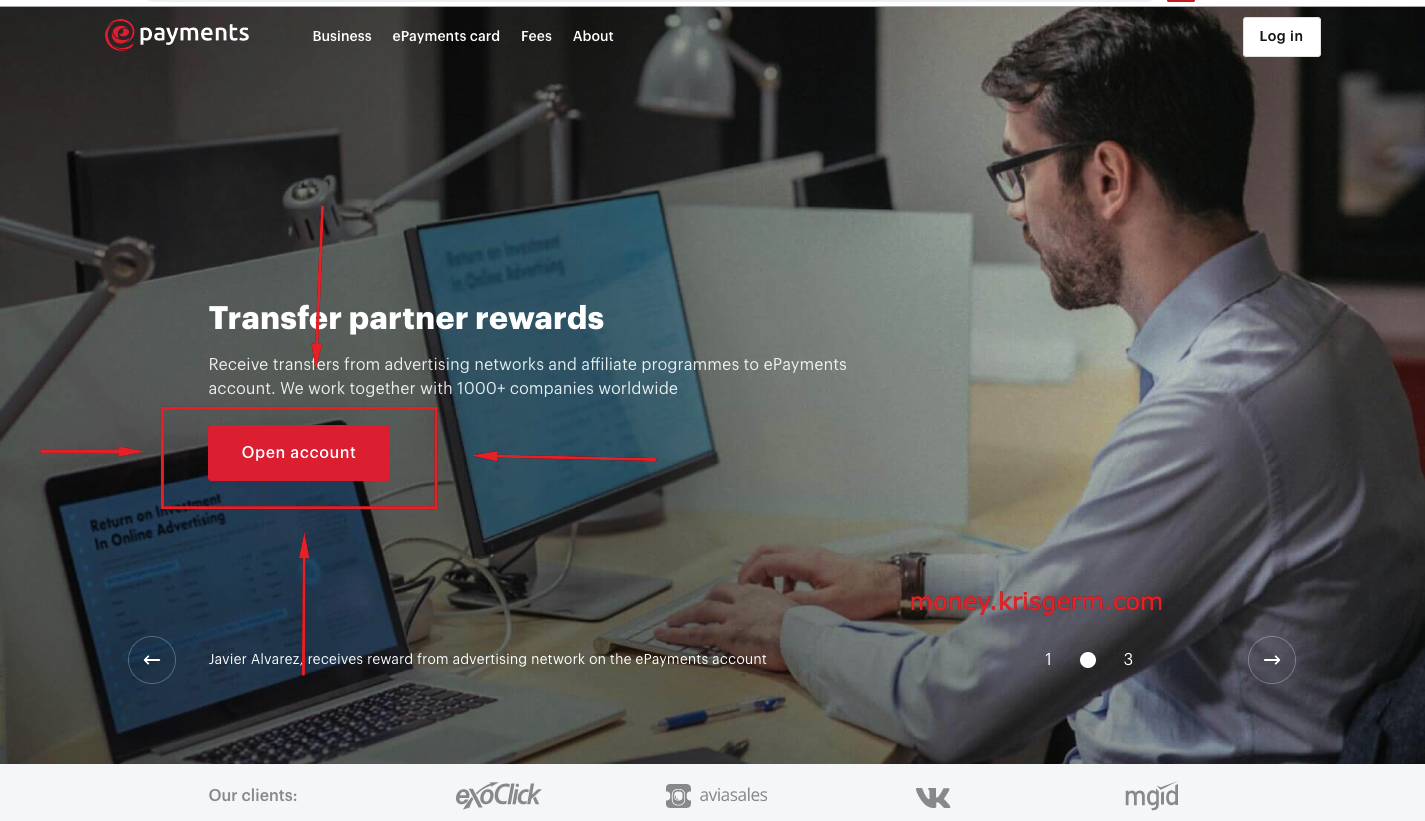
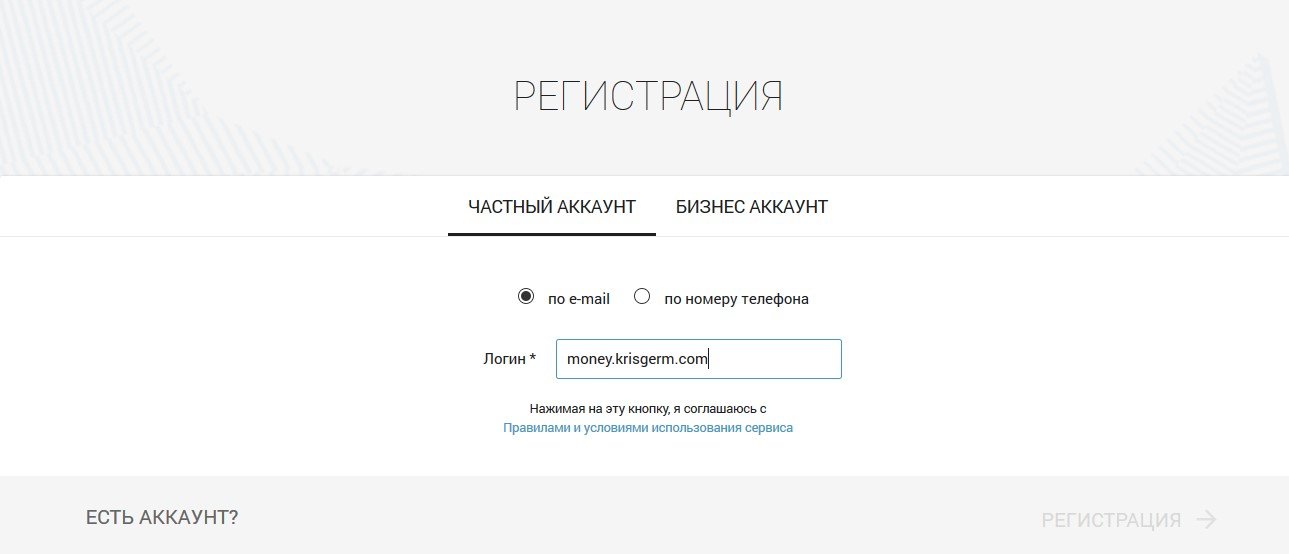
The arrows have a button to click on to open the account. So far, it’s not complicated. When you click on it, you’ll open the following window:
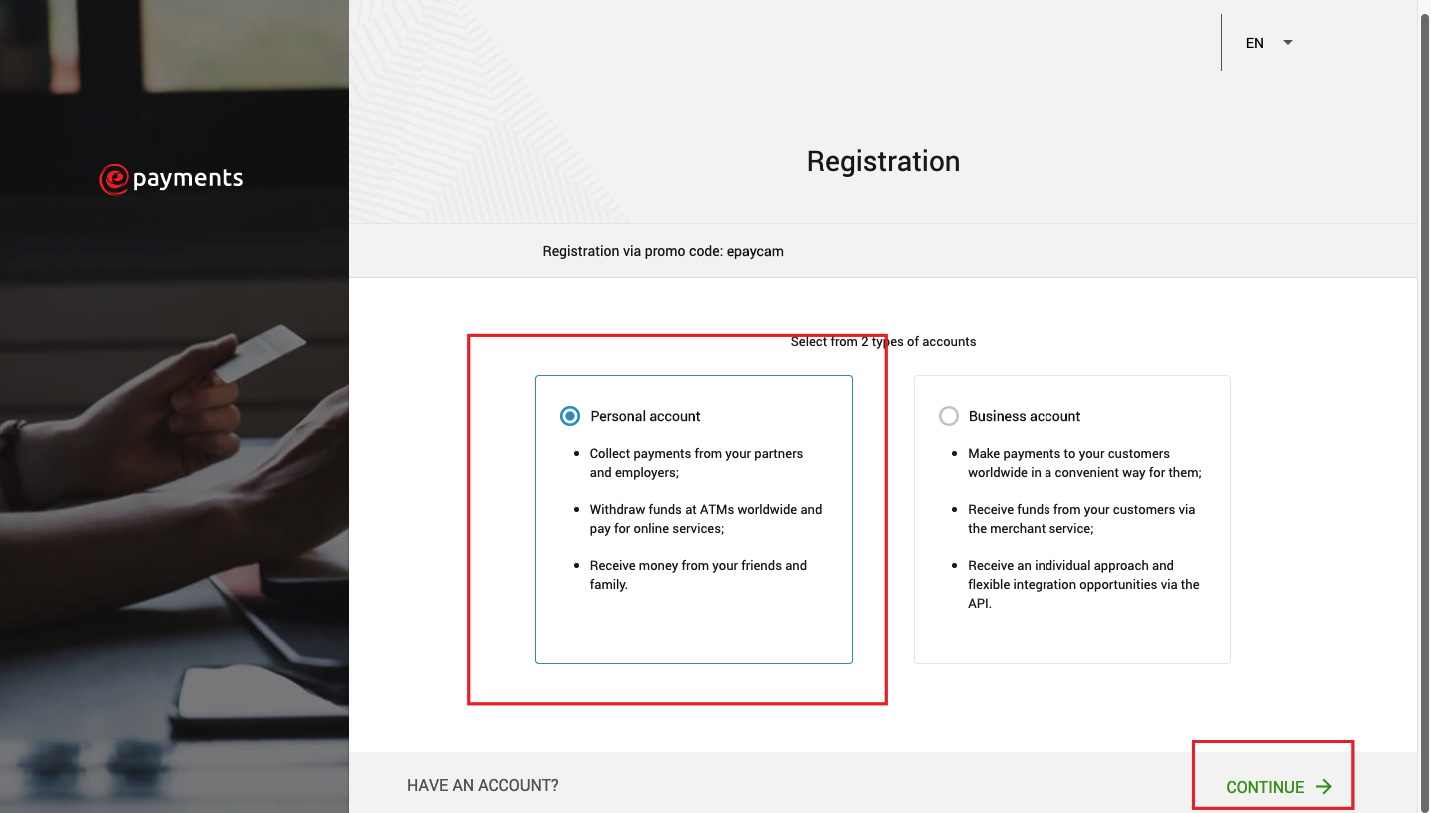
Choose a Personal Account to get ability receive money from webcam chats, freelance and other sites:
Individual user profile
After the procedure, you had to successfully register ePayments. Now you need to fill out your personal data and verify your account. The first thing to do is to see a window of Personal Data. That’s where we’ll start.
Personal data
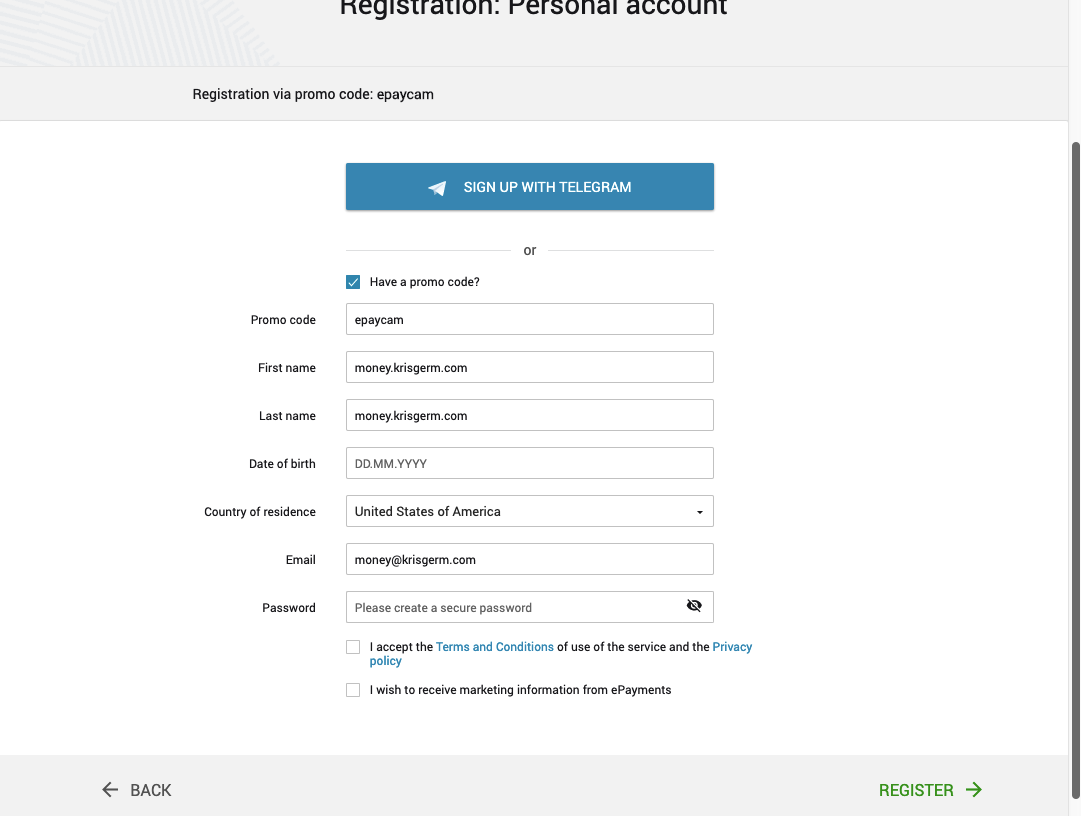
For registration please use promo code epaycam. First name and Last name must be real. The country of residence, date of birth and everything else do not need comments, so fill all the necessary fields and press the button Register, which is located on the right.
Email verification
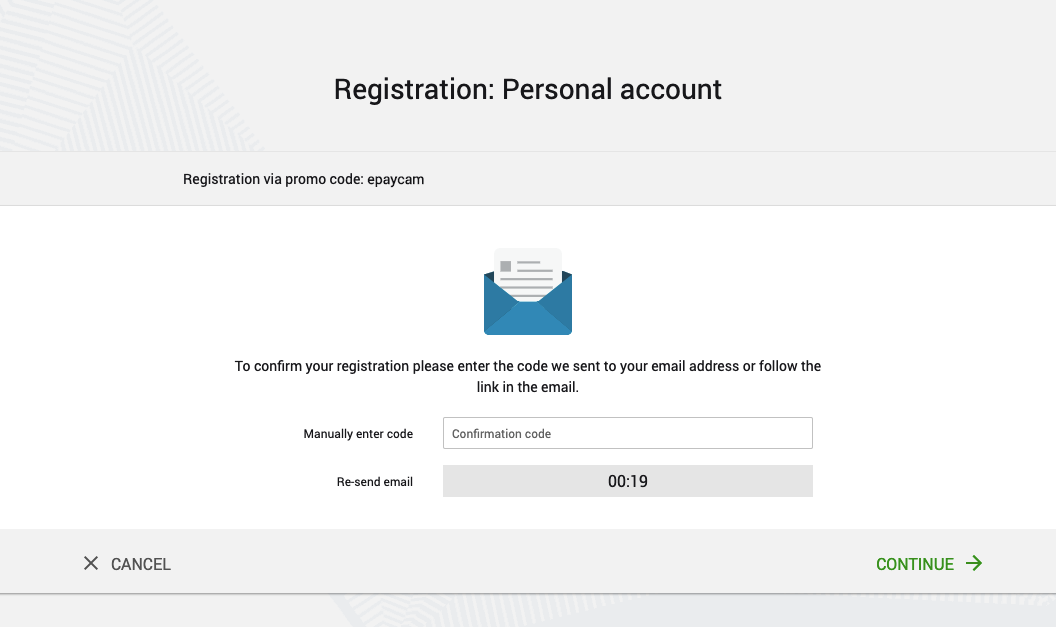
To sign up on ePayments now you need to come up with an email confirmation. Sample page:
How will you use ePyments?
Here’s a window you’ll get if you do everything as described above:
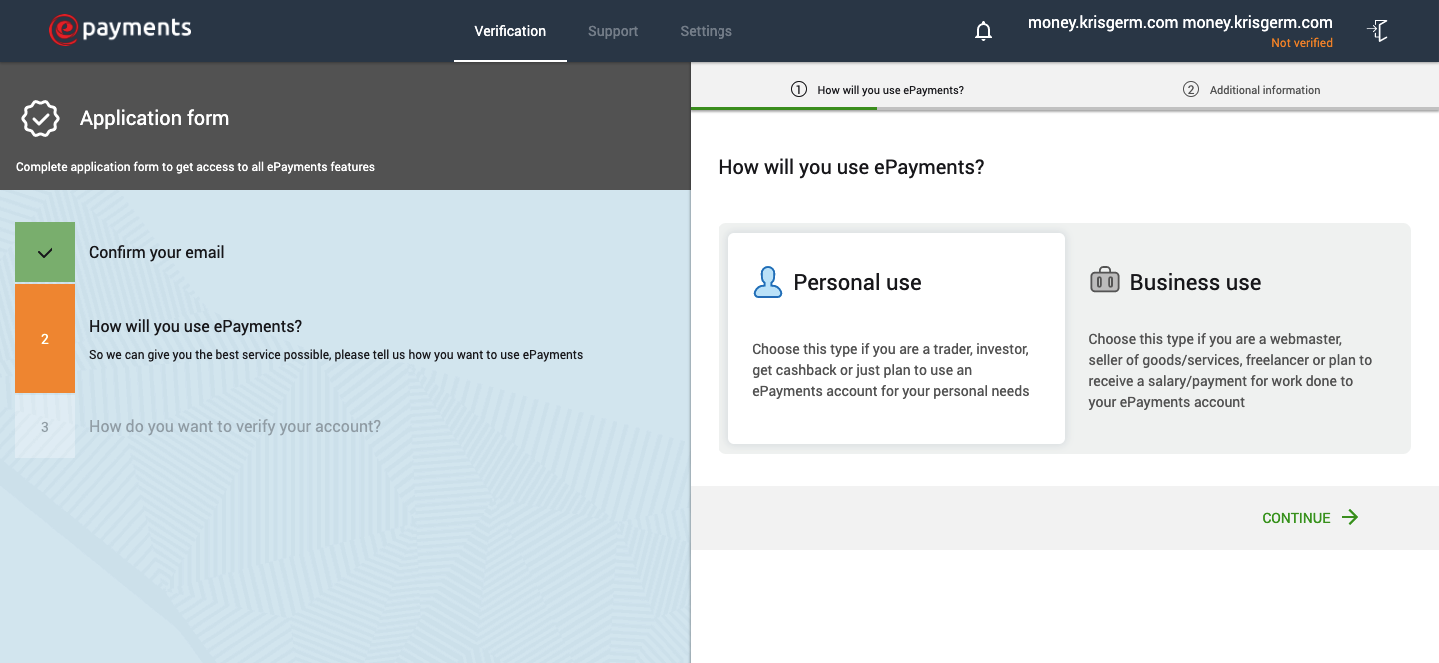
Here u need to choose for what purpose you will use ePayments. Webcam models have to choose Business. Click the Continue button.
Additional information
Next step is entering additional information. The page looks like this: 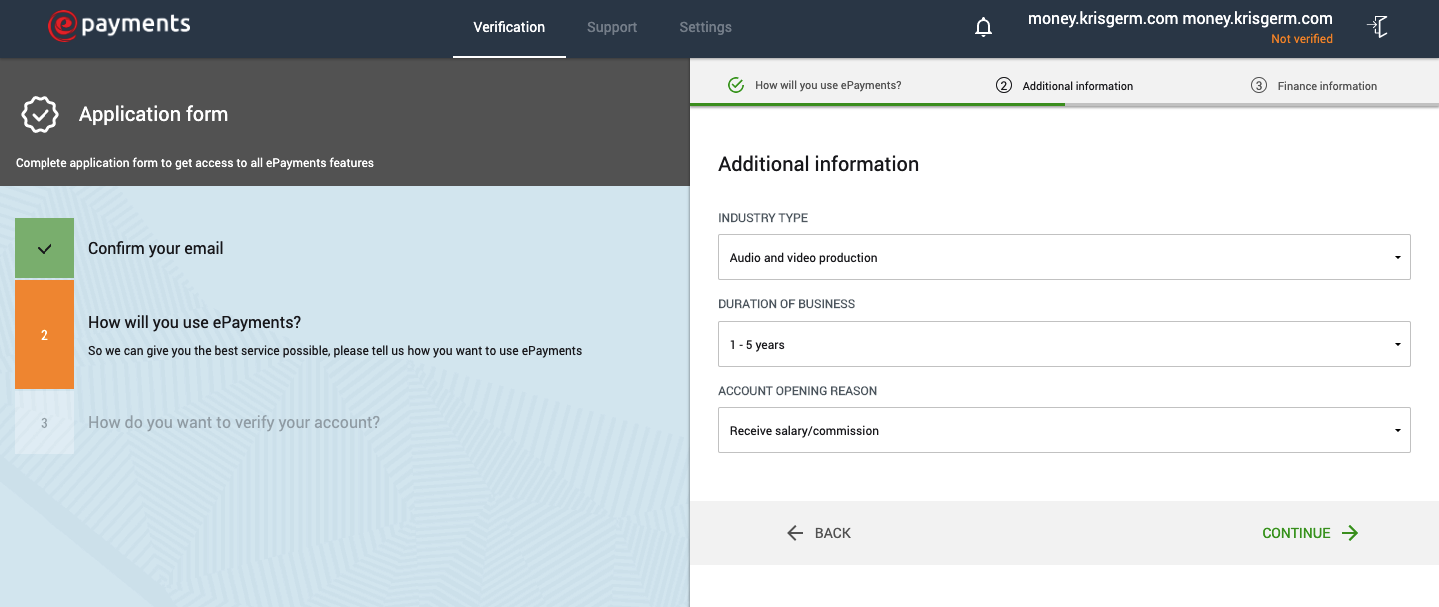
If you are a webcam model, put the same info as on screenshot. Industry type – Audio and video production. Duration of business – 1-5 years. Account opening reason – Receive salary/commission. Now click green button in right bottom corner.
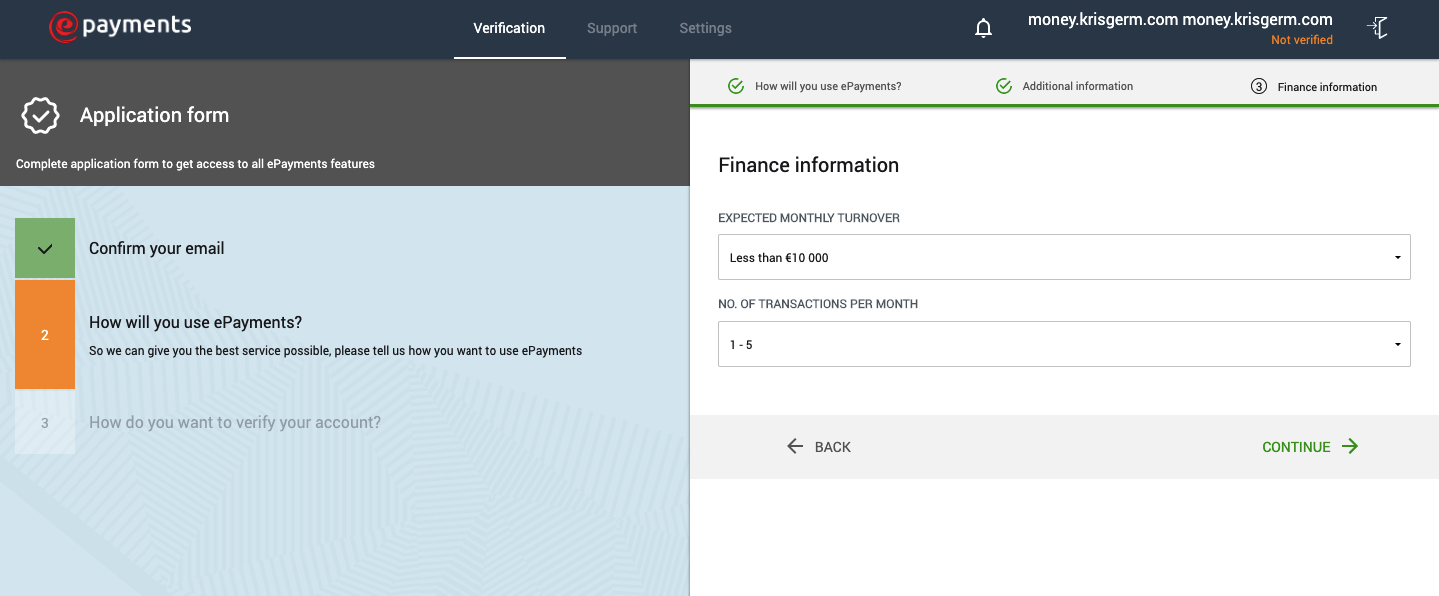
Finance information
Here you should enter the expected monthly turnover and number of transaction:
Account verification
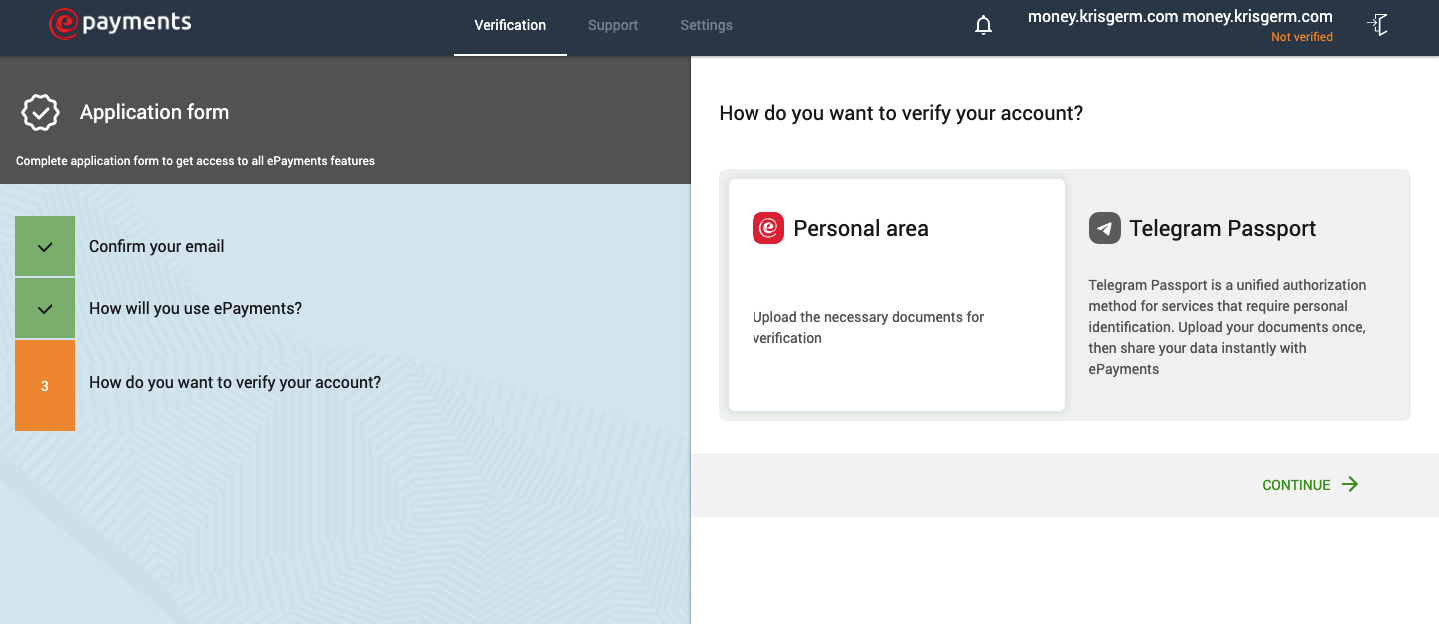
There are two methods for account verification – upload ID directly to ePayments or with Telegram Passport. Choose what you want, but we will continue with first method:
Confirm your phone number
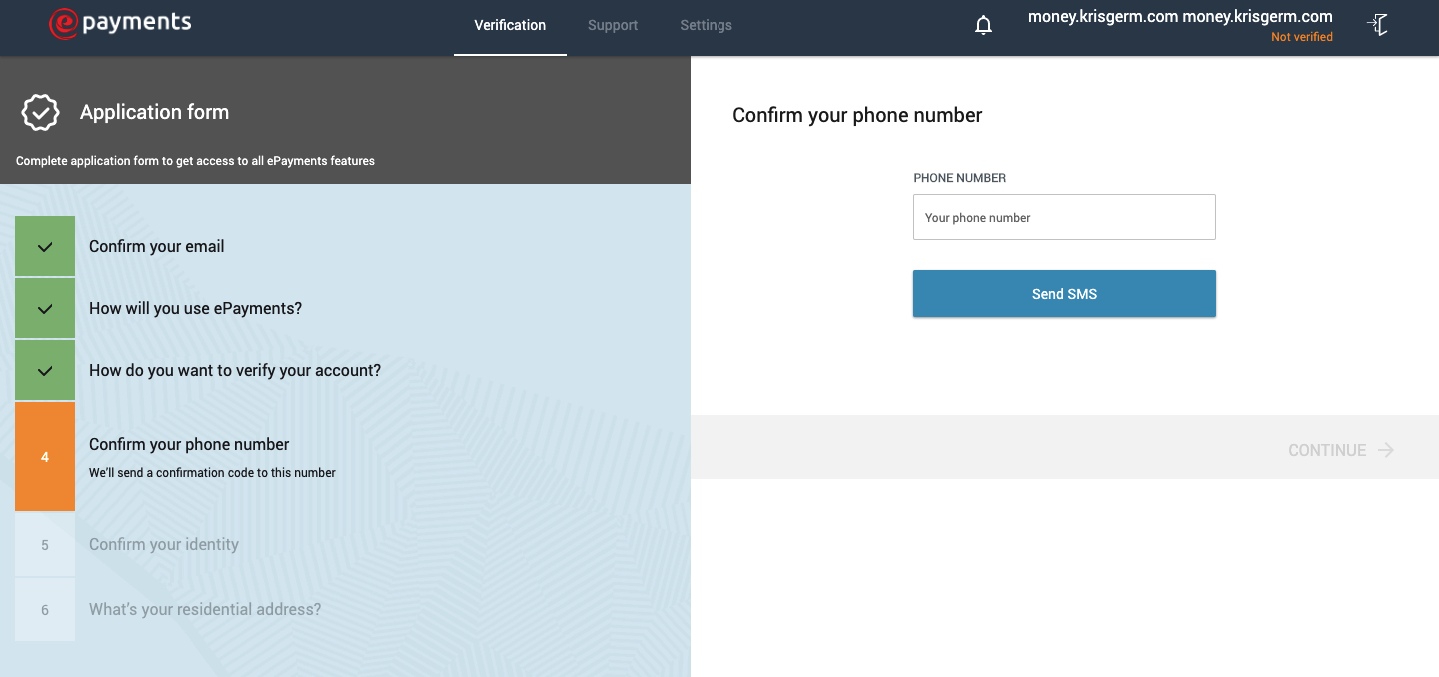
I think this step doesn’t need the explanation:
Confirm your identity
Here is the most important part of signing up on ePayments – identity confirmation. Just upload copy of your ID.
ePayments Commission
Many people are interested in what is more profitable to use – Paxum or ePayments? We’ve already looked at the Paxum Commission here, and now let’s deal with the epayments. Transferring from your wallet to any card of your bank costs 2.90% (min $3.50) and it is cheaper than with paxum. Withdrawal on webmaoney or kiwi – 2%, on the wallet of cryptocurrencies in general free. If you choose rubles on the site, you can display yandex. The commission on it is also 2%.
EPayments Card Commission
There is no fee for restocking the card and transferring the account to the card, which is already very good. For ordering a card you will need to pay $5.95. Which is much cheaper than in paxum. For the use of the card, a month must give back $2.90. For withdrawing money from the card at the ATM charge $2.60. As a result, we can say that the epayments are more loyal to their users in terms of commissions. Given that the interface is completely in Russian language and it is more understandable than in Paxum, ePayments looks like a favorite in this confrontation.
As always, the comments are open to any of your questions.
Read also




Questions and answers
No questions yet. Ask the first one